ShiningPanda plugin 0.5 is out!
We released today the new version of ShiningPanda plugin for Jenkins. For those who don't know this plugin yet, this is probably the easiest way to setup your Python projects with Jenkins. But let's have a look at the new features:
Tox support
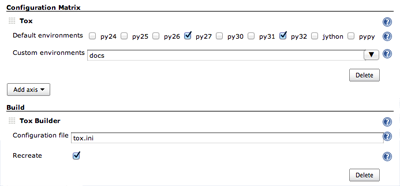
Tox is an amazing tool which lets you test your project on multiple versions of Python. ShiningPanda is releasing a convenient way to launch tox in Jenkins' multi-configuration projects with following components:
- a
Tox Axisto select the test environment, - a
Tox Builderto launch tox on this test environment.
This tox integration will be the topic of an upcoming blog post, so stay tuned!
Stand Alone
All required dependencies are now bundled with the plugin directly, so you don't need to install virtualenv or any other Python package in your local Python installations anymore.
Windows support
The plugin is now fully tested and operational on Windows.
Even more interpreters with Jython
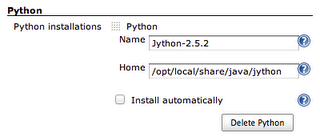
After C Python, PyPy and Stackless Python, ShiningPanda plugin now supports Jython.
Extended builders
The Custom Virtualenv Builder which was restricted to virtualenv installations was renamed to Custom Python Builder and now supports any kind of Python installation. Standard Python Builder was also renamed to Python Builder but keep its characteristics.
Syntactic sugar
When working with multiple interpreters, and even with CPython 2 and 3, it can be difficult to locate the Python binary and therefore to write a generic script, especially for multi-configuration projects: python, python3, pypy, jython... That's why this new version introduces the PYTHON_EXE environment variables in its builders: its value contains the full path to Python executable!
Improved GUI
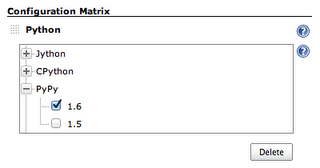
For those hosted on ShiningPanda CI, the Python Axis is now displayed as a tree. Much more convenient to select the desired interpreters! Another reason to subscribe to one of our hosted solution.